

4·
23 hours agoFlavor causes cancer.
Flavor causes cancer.

Term limits in SCOTUS would increase the current president’s power to exert influence in the court. That sounds great, until we realize that about half the time, the president is a complete asshole who shouldn’t be in charge of a McDonald’s franchise, let alone the country.
To reduce a president’s undue influence on the court, we need to strictly limit the number of justices they can add per term. If three justices reach their term limits, and two others die or retire, the president is flipping five justices. That’s a terrible idea.
What we could do is eliminate the fixed size of the court. Eliminate the requirement that the court must consist of 9 people. Instead, the president appoints two justices per term, shortly after their first and third years in office. The court’s size will likely fluctuate between 10 and 15 justices.
To further remove political influence, we could introduce a means of replenishing the court without political grandstanding. Should the court membership fall below 5 members due to some kind of disaster or tragedy, (or should the president fail to appoint or the Senate confirm a presidential appointment, or should too many members of the current court have a conflict of interest and not be eligible to hear a case) appellate court justices are elevated to the supreme court in order of seniority.
The meme isn’t about committing genocide with nuclear weapons. The meme is about having made a ridiculous and obscene ultimatum. It’s about his intimidation tactics. He tries to bluff his way through negotiations with outlandish threats, and looks like an idiot when anyone calls his bluffs.
Vance is going to need that new, impeachment-ready Congress in place before his coup, or his coup will fail.
Bingo.
Vance is going to want to be seen as leading the coup, not being handed the job. But it’s not happening for another 10 months. First, he needs a new Congress, one who is already itching for impeachment. And if he’s waiting for Congress, he’s going to wait another three weeks: so long as he only takes half of Trump’s term, he remains eligible for two full terms himself.
Vance will exercise Section 4 of the 25th after January 20th, 2027.
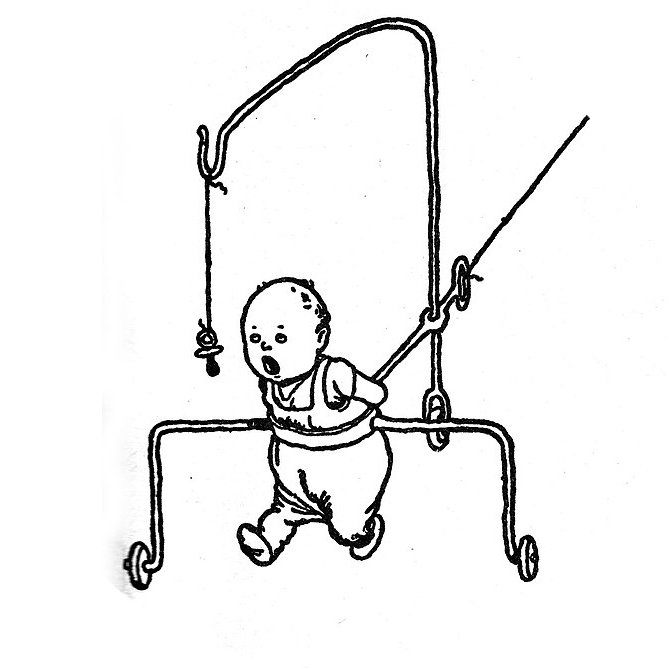
Guitars have 6 strings. If you attached six of those dampers to a guitar, it would weigh about 240lbs.
What the fuck are you expecting from me?
PasswordSpring2026!
Just make sure you get that gaudy nightmare currently in progress on the east lawn.
I’ve only ever seen them on electric wires, but I’ve seen light poles develop some pretty severe Aeroelastic flutter. This seems like a good way to (possibly) prevent it.
Basically, it keeps the pole from vibrating like a guitar string. The chains are there in case the supporting rod breaks; they keep the heavy weight from going through your windshield.

A “silky mom” is one whose kids have all the sleek, modern gadgets, fancy clothes, etc. They hate dirt, and just want to watch their screens. They eat nothing but processed foods. They use fabric softener and dryer sheets. They are primarily concerned with keeping up appearances.
A “crunchy mom” is one whose kids have mostly wooden toys, hand-me-down clothes. You’ll find them jumping in mud puddles and eating wild raspberries. They line-dry their clothes. They are primarily concerned with the happiness of everyone around them.
“Crunchy” is (usually) not a pejorative, and even if it were, a “crunchy mom” wouldn’t concern themselves with such meaningless criticism.
They blew up a Starlink satellite a couple days ago; the debris will be reentering the atmosphere over the next couple days.
The term “locust” refers to “insect plagues” in general rather than mutated grasshoppers in particular. There is a new, mutated COVID variant circulating in 25 states that was nicknamed “Cicada”.
Heh, I’m just busting chops. Generally, I agree with you, with the caveat that “professionals” are not commodities. The therapist who is perfect for me will probably be terrible for someone else.
I’ll stop there, before my cynicism gets too far out of control. :D
Exactly.
Nuclear plants are probably the least efficient, because they required all that fusion energy inside earlier stars to build hydrogen into uranium, and we can only extract a tiny portion of that trapped fusion energy through fission.
That’s called a “Dyson sphere”.
They can help prevent chafing and blisters. They’re a good base layer under thermal underwear. They can keep some insects, leeches, and other parasites from biting.
US Soldiers in Iraq commonly requested family members send pantyhose in care packages.
Both. Sometimes a third.
The morning one is the long one, the central part of the 20-minute shit/shower/shave trifecta. Then there is the afternoon one, to rinse off the work-grime before starting the evening. If outdoor activities are on the evening itinerary, a third one: rinse off dust, sweat, urushiol oil (poison ivy), check for ticks, stretch sore muscles, etc.
But on the rare, lazy saturday? Fuck it.
Doesn’t seem particularly efficient to me… The sun burns hundreds of millions of tons of hydrogen every second. The amount of released energy we actually put to use is indistinguishable from zero, not 45%.






About 11 meters.