Over the years I’ve tested out pretty much all the Android keyboards, but swipe typing always kept me on GBoard, even though GBoard did not support voice typing for anything except Google, so I had to switch keyboards for that.
Recently I learned that HeliBoard has support for gesture typing with the Google library. But I couldn’t find any instructions on where to get the necessary files or how to do it. Well, someone posted a link to the file elsewhere so I’ll share it here. And it works! Extremely well. I can also pin a button for voice typing and then select Transcribro for that (which uses OpenAI Whisper locally and works super well.
Another gripe I had with GBoard was the cursor moves way too fast when swiping on the space bar. Not so with Heliboard. You can also swipe backwards from the backspace key and it will highlight text and then delete it when you let go.
The instructions are on their Github wiki, the link to which can be found in the About section of HeliBoard Settings, for anyone who’s curious.
It’s really not necessary. It’s as simple as downloading the file I linked, then going into advanced settings and selecting “load gesture typing library” at the very bottom and selecting the file.
You wrote you “couldn’t find any instructions on where to get the necessary files or how to do it”. I just provided the info where one can find the wiki with the instructions (among other info), and the link to the repo with other versions beside arm64-v8a. That is all.
I use HeliBoard myself and love it. Lots of customization and glide typing works as well as on other keyboards.
Yes and then I wrote that that was unnecessary. That is all.
Bro be kind
I really like Heliboard but Jesus does it suck at autocorrect and detecting what key I meant to hit. Gboard is a thousand times more accurate in these respects and so I default to Heliboard but I’ll occasionally switch to gboard if I have a lot to type and Heli is just wasting my time.
Glad it’s not just me with the autocorrect. I feel like I am fighting it sometimes but I’m too stubborn to go back to GBoard
Idk if you saw this in Heliboard swipe gesture data gathering settings that they are capturing new data and they will tell you which words to swipe to spell out and compares it with Google’s swiping autocorrect library. I think the developer is compiling a foss gesture library but they need more people actively adding to their data sets.
I’ve definitely been contributing.
Well, I don’t use swipe, regardless which keyboard I’m using or even which device I’m using. I use about twenty different devices depending what I’m doing. Don’t ask lol. The frank reality is nothing whatsoever beats the iPhone when it comes to knowing what you meant to type. Even though the iPhone has recently had some really weird problems with autocorrect, I have sometimes been so shaky (Tourette’s) and I’ve typed some of the most incoherent drivel, and yet my iPhone got everything 100% corrected to what I intended to type. It’s just frankly astonishing.
But on Android my goal was to avoid Google products when possible. That’s why I went with Heliboard. FOSS, very customizable, backup and restore all settings (MAJOR help when adding to a new device). There are truly an impressive and elegantly functional features, anticipating a wide variety of needs.
BUT I have to erase and retype well more than half of my input. And that’s not including any shaking just for the record.Meanwhile, gboard does about 85% as good a job as iPhone. I mean, I’ve got shit to get done, ya know? So, for now I am using gboard most of the time and I’ll change back to Heli once in awhile to see if it’s any better after there’s been an update.
I use FUTO Keyboard and it has the same issues. I have been using it for over a year, but it has not improved much in that regard. I was recently considering switching to Heliboard but maybe not now.
I briefly tried FUTO a long time ago but it nowhere approached what I needed.
I just tried HeliBoard again for a few days. The accuracy and autocorrection is pretty similar to Futo. But FUTO was better with space, by far. In HB, very often when I tried to hit space, it typed B instead. It probably partly a me problem because it does sometimes happen in Futo too, but much less frequently.
The bigger problem with Heliboard was that it mostly breaks my password manager, Proton Pass.
In Futo, when I tap my thumb on an email or password field, I get a popup in the Futo keyboard word suggestion area asking me if I want to use Proton. I do not get that popup in HB and couldn’t figure out if there was something that I needed to change in settings. So that made HB much less usable for me.
Switche back to Futo and everything worked fine with Proton Pass.
That’s why I mentioned the Google swipe library
Im using the google swype library but its still god-awful compared to gboard.
My issue, and it took me a long time to figure it out was that, I’m so used to Gboard and I’ve been using it so long, that it’s muscle memory. Changing the bottom padding and some of the other settings to make it closer to the gboard layout helped so very much.
I’ll have to play with it more. What are your settings?
Pixel 8
Keyboard height 109%
Bottom padding default 147%
Everything else I believe is default as far as scales.
Awesome, thanks. I’ll give it a try
Good luck! I still have to change things more then Google keyboard but it’s definitely improved
Same. Typing is significantly more challenging with HeliBoard. I put up with it though because…screw GBoard
I use Futo Voice Input for voice input myself.
But yes, Helioboard is amaze.
I used the whatever third party blob for Helioboard’s swipe input is from… Forgot where I got the instructions for that…but it was easy peasy.
They’re both pretty much the same thing except Transcribro is actually open source.
Transcribro is amazingly accurate, better than anything else I’ve tried.
Either it’s the nostalgia goggles, or another example of enshittification… but I remember when gesture typing was exclusive (actually was it exclusive? I’m doubting myself now) to FlexT9 and it was like magic - your gestures could be sloppy as fuck and it was still shockingly accurate. Someone must have bought them out or something, cuz FlexT9 kinda just disappeared and gesture typing started to become a standard feature. But no longer a reliable feature… as evident by the number of times I had to manually correct the autocorrects in this post…
Does Helioboard support multi-language typing? I write in Spanish and English all the time. I tried FUTO’s keyboard but pretty much immediately had to uninstall it because constantly having to switch the language on the keyboard super sucked.
Sure does
Unfortunately, it’s got some issues… It kinda works, but after typing Spanish with the English keyboard, I think I broke the English keyboard…
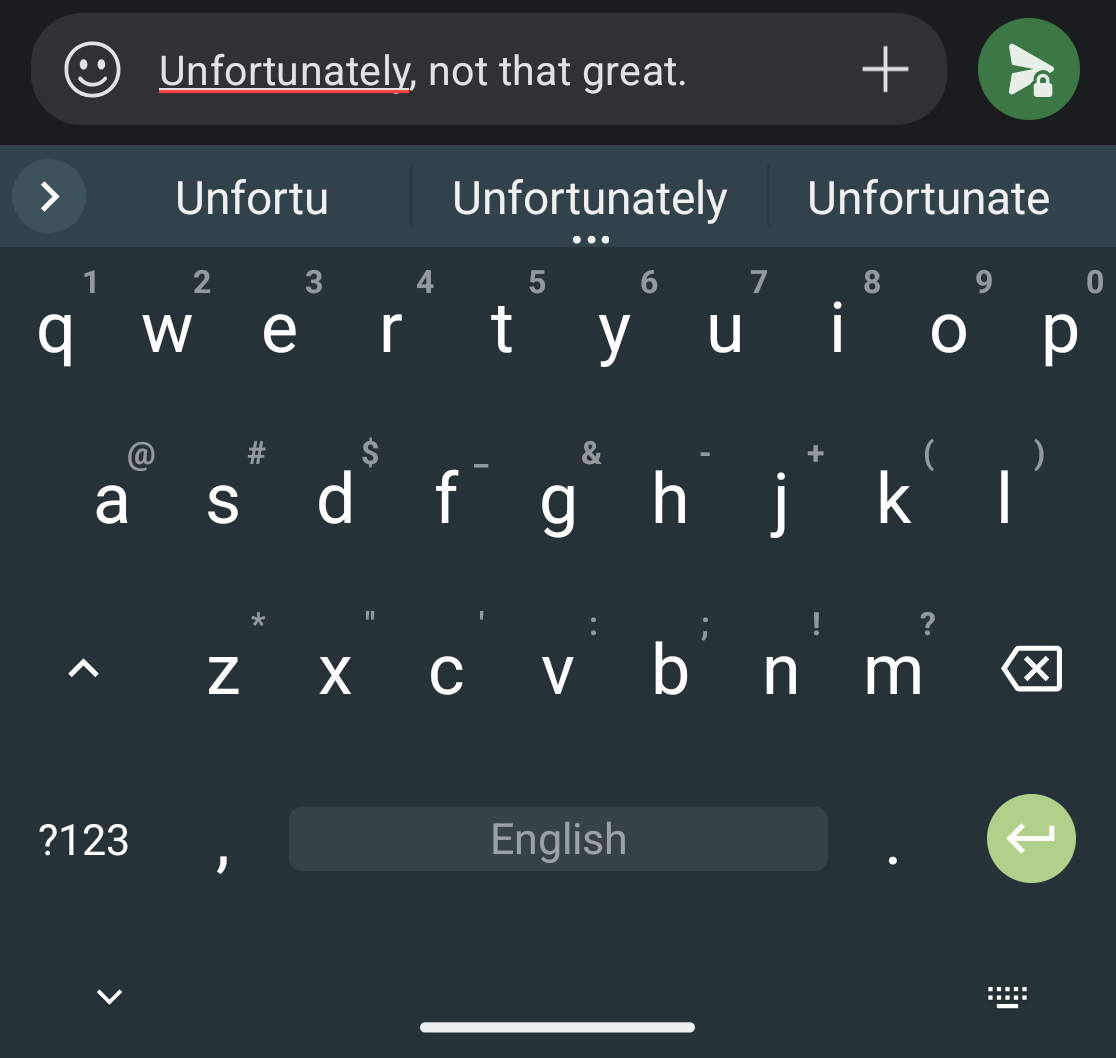
It’s not as bad as FUTO, but the Spanish spellcheck on the English keyboard could be improved… 😢
I’m stuck on Gboard… :(
I feel you. I type in three languages, and Gboard is the only one able to handle that.
I can’t wait for the day when I can finally ditch itI believe Heliboard has the option for installing multiple keyboard languages, and you can switch between them by holding down the spacebar. No idea how well the spellcheck works in Spanish though. For me, using the Portuguese keyboard seems to work well, and spellcheck looks okay. Note that I have only had a few lessons in Portuguese and haven’t touched it since so I only know counting to ten and a couple other things, so I haven’t used it for a long period to fully judge how well it works.
Olá, um dóis três quatro cinco seis sete oito nove dez
I’ve always had trouble with Heliboard. I don’t know why, but I just can’t seem to type on it.
Edit: This is me typknfnkn hslkbkadd in the same waybibtypebkn gboard.
My biggest issue was changing some of the settings to move the keyboard up a bit to match my muscle memory lol
I struggle with it too tbh
OH I did not know you could swiped the backspace key on Heliboard. That is so useful! Thanks internet person!
Yeah, Heliboard is awesome. I fell in love with it because it is so ridiculously customisable, like you can change the position of all the symbol keys, the padding, the icons, everything! I also liked that there was an option to have it fit with my Material You theme (but it’s disabled by default, which I think is good for people who don’t like it)
I also like that you can set the option so that swiping up-down or left-right on the spacebar can be set to anything. For me, I just have it move the typing cursor around, but you can configure it to do other stuff too!
OH I did not know you could swiped the backspace key on Heliboard. That is so useful! Thanks internet person!
Wait until it happens accidentally and half your paragraph disappears.
I had to turn it off because this was happening CONSTANTLY. Now instead I just don’t notice that I moved it to another spot and I start typing a sentence in the middle of a word…
I see that FUTO has a keyboard too. Is it necessary to install both FUTO keyboard and voice input? Do people like the FUTO keyboard as a google alternative?
Futo is very problematic.
Uuuuuuugjgjjjjjgjvjjjjhhh fuuuuck. I mean, thanks for posting this. But god damn it, dude. I was so happy with FUTO keyboard, and it felt so nice using something that I thought was pretty pure and good. I’ll admit I didn’t do my due diligence, I just kinda saw Open Source and stars and went with it. Ugh. So alright, what should disgust me about Heliboard?
I’m so sick of 90% of even seemingly decent things turning out to be connected to always this same exact evil shit
I don’t use it but this is the first hate I’ve seen for it. Yeah, that’s problematic.
Futo is really good! The voice input is amazing! And you can actually download just the voice input and use it inside Heliboard if you want
Thanks. Uninstalled FUTO keyboard. Just using FUTO voice with HeliBoard
I used FUTO keyboard as well. But it doesn’t allow to import swipe gesture libraries. They have their own swipe dataset but it’s not very good. Plus it’s not open source.
I love FUTO keyboard. I think you can set up other voice inputs, but I’m not sure. I do know that you can use the voice input with other keyboards. It’s honestly the best voice input I’ve ever used. It works better than Google or Microsoft. It’s faster than other implementations of the same library.
A lot of people have said that the gesture typing is bad, but I’ve never had trouble with it personally.
Heliboard is also a great choice - I used it for a while before switching to FUTO. If you are an open source enthusiast, it is the best option by far IMO. FUTO has the source available for audit and community contributions, and is privacy respecting, but it is debated whether the license is truly FOSS.
Is that actually your name? As in, גדליה? Juuuuust curious.
My middle name, yeah.
Cool.
Yes, you can use Futo Voice Input separately.
I’m using Cleverkeys. I installed the Futo Voice Input, but haven’t got it working with Cleverkeys. I have to switch keyboards when I want to use voice input.
I don’t use gesture typing.
I used FUTO keyboard for a while, but the swipe function could not figure out certain words, or would just straight up insert a completely different word that wasn’t even close to what I was trying to swipe. Switched to Heliboard last week, so far so good.
I found the same with Futuo, ill give Haliboard a try
Just FYI, because I forgot to mention it - I haven’t set up Heliboard’s swipe function yet.
Not tried swipe yet but I’m enjoying it
Thanks for the instructions. Giving it a try.
Btw, if you know/learn Korean at some point, HeliBoard’s also pretty good for their writing system.
Does Heliboard support Japanese input?
Doesn’t look like it, sorry
I just started using heliboard the other day and I really want to like it. But the swiping seems way less accurate (even though im using the same library? ). I also switch between swiping and using two thumbs to tap. When tapping, it seems like autocorrect rarely works well compared to gboard.
It’s an old version of the Google swipe library. The developers are working on a new library. You can contribute in the keyboard settings!
What do I do on the github link to install the keyboard?
I wouldn’t mind switching, but I heavily rely on the gif search capability.
The lack of GIF kills me. So I do go back and forth between gboard and heli.